Showing posts with label retro. Show all posts

Friday, 21 October 2011

Dotty & Spotty

I was feeling a bit retro-ish today (like most days when I have time to sit down and pick a mood) and this was a template I had in the wings from a couple of years ago that never quite got finished.
It's a dark backgrounded template - which is not something I usually do - but I love the yellow dots, the brown background and the blue highlights.  I hope you like it too! <3

(click above for a live demo)

Download Now

Friday, 28 May 2010

Lady on the Side - 2 Column template with feature lady!

Here we have a delightful blogger template with a woman on the side. Literally! This has a main blog area and a somewhat recessed sidebar - a lovely change from the ordinary blogs that just line them both up together. I hope someone out there likes this....


Click image above for a live preview

Wednesday, 13 January 2010

1990s Nightmare! (not a very serious template, but here you go)

OK, so I just realised that the 1990s were 20 YEARS AGO! Holy cow, how long ago was that? (although it seemed like yesterday!). I started using the internet {properly} in about 1997 and it was all about flashy web graphics, animated gifs and things that I thought were pretty awesome. In reality they were pretty ugly - well, looking back they certainly are.... but at the time *sigh*

Let me just say, this template is not meant to be taken seriously. It uses some graphics you may remember (and some you may want to forget). Please note that the links - under construction, email me, etc - are not real, they are just for decorative purposes.


click for a live preview


Monday, 19 October 2009

1950s Slumber Party Redeux - 3 columns, with and without martini

Aggggges ago I made a template called "1950s Slumber Party" (ok, I know it's obviously an adult slumber party if you're going to be drinking Martinis!) Anyways, someone asked me to make it into a 3 column template.... and here it is:


click image above for a live preview
(with martini)


Click image above for larger screen grab
without martini
(because not everyone is into martinis)


Please ensure that you backup your widget data, as installing a new template will wipe/erase your current widget content.
  • To download the xml template (with Martini): click here
  • Preview the site here
  • Need help installing this? Click here

Thursday, 2 July 2009

Bicycle, bicycle! - XML blogger template

Whenever I see a bicycle, I just want to burst into singing that song by Queen. It's very catching, unfortunately.


click for a live preview

The design works with "new" blogger - ie: it's an XML template. Please ensure that you backup your widget data, as installing a new template will wipe/erase your current widget content.

Tuesday, 26 May 2009

RazzleDazzle - free blogger XML template

Hmmm, I love a pretty pattern and here is another gorgeous one from Pixels & Ice Cream (visit the site here). I love this template and hope you do too!


click for a live preview

The design works with "new" blogger - ie: it's an XML template. Please ensure that you backup your widget data, as installing a new template will wipe/erase your current widget content.
I think that the navbar colour of "tan" looks awesome with this template (just like I have in the test blog). To change it just go to LAYOUT >> PAGE ELEMENTS and edit the navbar. I'm soooo sick of seeing that blue navbar! You can change the colour, people!


Friday, 1 May 2009

It's Retro Baby! - free xml template

OK, this is a simple but sweet retro template, perhaps it should be called "minimalist retro" or "simple retro" - anyway, you get the drift I hope. It's just simple and cute... with navigation bar. You can find how to add the links within the code or you can read the info below.
  1. Log into blogger. Click on "EDIT HTML"

  2. Scroll down the large box of code until you see the following (it's near the end)

    <li><a href="'/'">Home</a></li>
    <li><a href="'#'">Link Here</a></li>
    <li><a href="'#'">Link Here</a></li>
    <li><a href="'#'">Link Here</a></li>
To add your own links:
replace the "#" symbol with your link URL and then edit the "Link Here" text to be the name of your link (see colour coding below). So if you wanted to put a link back to me, this is what you'd change one of the lines to be:

<li><a href="'http://www.yummylolly.com'">Yummy Lolly</a></li>

You can remove or add any lines as you wish. You just have to add them before the </ul> code.
Let me know if you have any questions.


click for a live preview

The design works with "new" blogger - ie: it's an XML template. Please ensure that you backup your widget data, as installing a new template will wipe/erase your current widget content.
* I HAD THE WRONG ZIP FOLDER LINK! APOLOGIES! IT'S ALL FIXED NOW!*
Background image made by me :-)

Wednesday, 26 November 2008

Retro Telephone - Free XML blogger template

Here's something stripey and telephoney. I like both! It's quite cute and retro.


click for a live preview

The design works with "new" blogger - ie: it's an XML template. Please ensure that you backup your widget data, as installing a new template will wipe/erase your current widget content. The telephone photograph is by Alexander O'Neill on flickr.com.

Wednesday, 1 October 2008

Retro Ladies - XML Blogger template


(click for a live preview)

The design works with "new" blogger - ie: it's an XML template. Please ensure that you backup your widget data, as installing a new template will wipe/erase your current widget content.

Note that the background colour (blue in above test blog) is completely changeable from within the "Colours & Fonts" area of blogger. Hooray!

Saturday, 16 August 2008

Date Night - free XML blogger design

Here's a cute design with the retro woman fixed into position (bottom left corner). If you have a super narrow screen resolution then it might look too squashed, but test it out for yourselves with the below testing blog...


(click for a live preview)
  • To download the xml template: click here (zip folder)
  • Preview the site here
  • Need help installing this? Click here

Sunday, 27 July 2008

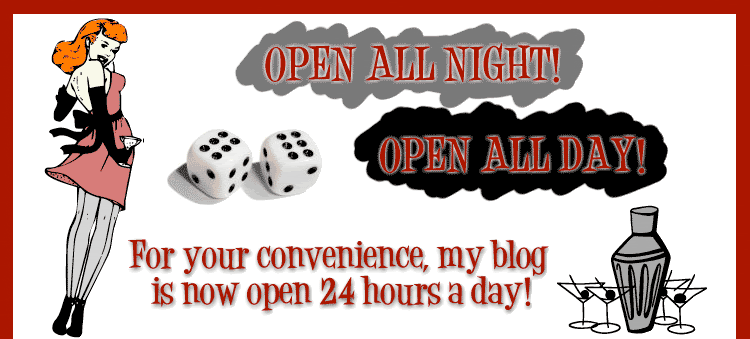
Open All Day ... Open All Night - free XML blogger template


(click for a live preview)
  • To download the xml template: click here (zip folder)
  • Preview the site here
  • Need help installing this? Click here

ALSO - regarding the HEADER IMAGE:
NO, your blog title/description will NOT show up. This is because I have switched that option "off" so they will not display.


"WHY did you make this design like this?"
Two reasons really - one: you can edit this header image if you want - remove the "Open All Night, Open All Day" text and put your own thing in (you can use any graphics editor to put your own text onto this banner and there are waaaay more font choices than the silly old internet can handle. DaFont: droolworthy!) and two: I just thought it would be more interesting - and things are definitely better when they're more interesting ;-)

"I don't want to edit my own header image! Can you please let me know how to make my title & description come through from Blogger?"
No. There is no way that your blog title and description is going to come through (and actually "fit" in the correct bit), so bad luck.

"What graphics program can I use to edit this image?"
I have Photoshop CS, but you can use any graphics program that allows you to open/edit a JPEG or GIF - which should be pretty much any graphics program.

"Ok, I made my own banner, now what?"
Now you'll have to upload it to some hosting on the internet. I host my files on photobucket.com (a free image hosting service) but there are more options out there.
Upload the file to the internet, then find the URL of the image.

Next, go to the "Layout" >> "Edit HTML" section of your blog.
You will need to replace the original header image - seen on this page - to be your own.

Scroll down until you find the following image path:
http://i200.photobucket.com/albums/aa231/free_blogger/HeaderOpen.gif

hint: it's under this bit
/* ---( header and site name )--- */

.....and replace with the image path of your new title. Viola!

Tuesday, 6 May 2008

Retro Bar Fly (Plain Version) - Free XML blogger template


(click for a live preview)
  • To download the xml template: click here (zip)
  • Preview the site here
  • Need help installing this? Click here
(created by me with the help of 60s Chic & Tack-O-Ding dingbat fonts!).

Monday, 3 March 2008

1950s Slumber Party - free XML blogger template


(click for a live preview)
Please note that I have made my own header image and installed it under LAYOUT > PAGE ELEMENTS. You can do this too - as long as the header image has a background colour of white (to be seamless!) and is 720 pixels wide. Height isn't as important as width, so it doesn't matter how high. This design will come with a plain text header by default.

Make sure that you select the following if you want to replace your header with an image:


This is what I did (thinking it would be easier than replacing the image path in the code as I have been instructing in my recent designs - the jury's out - I think I prefer the other way as it allows you to be more precise and specific).

'tis cute though!

Monday, 18 February 2008

The Only One - Free blogger design XML


(click for a live preview)
  • To download the xml template: click here (zip)
  • Preview the site here
  • Need help installing this? Click here
The sidebar alignment is weird in IE6 and before - so this is recommended for those of you with IE7 - and of COURSE it looks fantastico in FF, Opera & Safari :P - if you're using IE6 and before then I may have to seriously question your sanity!

Sunday, 17 February 2008

Fancy Fashions - blogger design XML


(click to preview template)
  • To download the xml template: click here (zip)
  • Preview the site here
  • Need help installing this? Click here
The background colour is changeable from the "Edit Colours/Fonts" area - note the cute scissors border on the side widget thingy. So cute!

ps* the inner background purple colour is #A186BE - for all those of you who want widgets to blend in seamlessly.

Friday, 15 February 2008

Retro Typin' Gal - free blogger design XML


(click for a live preview)
  • To download the xml template: click here (zip)
  • Preview the site here
  • Need help installing this? Click here
PS: Inner background grey hex colour is #FFFCA8 (you might need to know that incase you're going to put widgets in).

I dreamed I was... - free blogger design (XML)

As I have just discovered, if you drink a hot cocoa and look at this design a lot, you may go into some kind of delicious sugar coma like I am right now. *sigh* I just love sweeties so much.


(click for a live preview)
  • To download the xml template: click here (zip)
  • Preview the site here
  • Need help installing this? Click here
PS: Inner background grey hex colour is #CCCCCC (you might need to know that incase you're going to put widgets in).

Space - free blogger design (XML)


(click for a live preview)
  • To download the xml template: click here (zip)
  • Preview the site here
  • Need help installing this? Click here