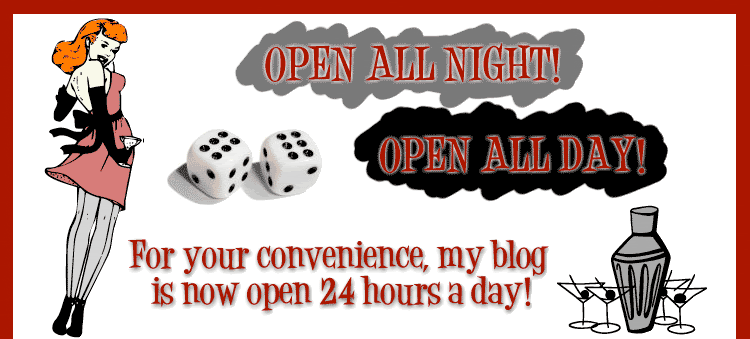
Alrighty alrighty!
I do love the last blogger template I made - "Oh!" she said and I have now made it in three different colour combinations: Mint, Latte & Pink!
I haven't made a live preview blog to view how these look, but you can see the previous {yellow} one here.
Enjoy!
Showing posts with label girl. Show all posts
Friday, 2 April 2010
Thursday, 1 April 2010
"Oh!" she said - super wide blogger template - bright yellow with pretty girl!
I wanted to make something bright. Before you ask -- yessss, maybe I will make more colours soon, it shouldn't be too tricky for me, just let me know if there's a specific colour background you want (I'm not going to change the girl though, because we could all sit here and talk colours until the cows came home). Well.... ok.... I could be persuaded to make it with a different hair colour.
- To download the xml template: click here (zip folder)
- Preview the site here
- Need help installing this? Click here
Sunday, 21 March 2010
Hello Friend - Green Blogger Template (with Squirrel!)
Here is a green (luuuurve this shade of green!) blogger template with girl feeding a squirrel. I think it's pretty sweet and reasonably simple but I like it. I hope you do too!

(click image above for a live preview)
- To download the xml template: click here (zip folder)
- Preview the site here
- Need help installing this? Click here
Wednesday, 3 March 2010
Positive, Negative - Cute Blogger template with RSS icon.
OK, here is something simple, sweet and cute. I have put a little RSS feed icon in the sidebar there which is my absolute favourite RSS icon ever! (credit: ComingUpForAir). I hope you like it!
- To download the xml template: click here (zip folder)
- Preview the site here
- Need help installing this? Click here
Filed Under:
2 column
,
black n white
,
girl
,
minimalistic
,
orange
,
rss icon
,
simple
,
xml
Wednesday, 13 January 2010
Pin Me Up - Pin up girl XML blogger template
This is kind of in the same vein as 'A Dream Girl for Dan' (because that template is one of my absolute favourites! It's simple, yet elegant and I hope ... if you like pin up girls... you like this one.
The background is changeable from within the colours and fonts area (although the middle "blog" box will remain white). xx
- To download the xml template: click here (zip folder)
- Preview the site here
- Need help installing this? Click here
Tuesday, 20 October 2009
Joy n Balloon - XML blogger template
This is a very colourful template that is highly customisable by you! The background colours are all changeable from within the "Fonts & Colours" area, including the navigation bar, inner blog colour and post footer colour. As I have outlined below, you can use the header image of the girls and balloons or easily add your own. Enjoy!
click image for a live preview
This blog does not come with the header image installed! It is included in the zip folder, but you will have to install this yourself.
How do I install the header image?
Click on the LAYOUT > PAGE ELEMENTS tab. Then click 'Edit' in the header area. The 'Configure Header' pop up box will open (see below). Select the header image from the downloaded folder. Selecting the position of the header as 'behind title and description' will ensure that the title/description text can still be seen. If you want to hide it, select 'instead of'.

click for a larger preview
Can I make my own header image?
Of course! That's the reason I have made this Blogger template without the header image automatically in the template. I advise you make your header image 800px wide for best results (otherwise, if you select "shrink to fit" it may skew and look weird).
Height does not matter, that is up to you.
Once you've made your own header image, you can just install the header as per instructions above.
PS: If using the girls/balloon image (in the test blog) please leave the link back to the original artist of this photo: D Sharon Pruitt INTACT! (as per creative commons requirements). If you are using your own image you may, of course, remove that link.
How do I install the header image?
Click on the LAYOUT > PAGE ELEMENTS tab. Then click 'Edit' in the header area. The 'Configure Header' pop up box will open (see below). Select the header image from the downloaded folder. Selecting the position of the header as 'behind title and description' will ensure that the title/description text can still be seen. If you want to hide it, select 'instead of'.

click for a larger preview
Easy!
Can I make my own header image?
Of course! That's the reason I have made this Blogger template without the header image automatically in the template. I advise you make your header image 800px wide for best results (otherwise, if you select "shrink to fit" it may skew and look weird).
Height does not matter, that is up to you.
Once you've made your own header image, you can just install the header as per instructions above.
Please ensure that you backup your widget data, as installing a new template will wipe/erase your current widget content.
- To download the xml template: click here (zip folder)
- Preview the site here
- Need help installing this? Click here
PS: If using the girls/balloon image (in the test blog) please leave the link back to the original artist of this photo: D Sharon Pruitt INTACT! (as per creative commons requirements). If you are using your own image you may, of course, remove that link.
Filed Under:
2 column
,
balloons
,
changeable
,
colourful
,
colours
,
DIY
,
girl
,
photo header
,
xml
Monday, 27 April 2009
Cat Napper - free XML template
Here's a super cute blog template with your own navigation bar. The "home" link is already working, and there are instructions in the code, but here's how to add your own links:
- Log into blogger. Click on "EDIT HTML"
- Scroll down the large box of code until you see the following (it's near the end)
<li><a href="'/'">Home</a></li>
<li><a href="'#'">Link Here</a></li>
To add your own links:
replace the "#" symbol with your link URL and then edit the "Link Here" text to be the name of your link (see colour coding below). So if you wanted to put a link back to me, this is what you'd change one of the lines to be:
<li><a href="'http://www.yummylolly.com'">Yummy Lolly</a></li>
replace the "#" symbol with your link URL and then edit the "Link Here" text to be the name of your link (see colour coding below). So if you wanted to put a link back to me, this is what you'd change one of the lines to be:
<li><a href="'http://www.yummylolly.com'">Yummy Lolly</a></li>
You can remove or add any lines as you wish. You just have to add them before the </ul> code.
Let me know if you have any questions.

click for a live preview
The design works with "new" blogger - ie: it's an XML template. Please ensure that you backup your widget data, as installing a new template will wipe/erase your current widget content.
- To download the xml template: click here (zip folder)
- Preview the site here
- Need help installing this? Click here
Filed Under:
2 column
,
animal
,
cats
,
cute
,
free blog design
,
free design
,
girl
,
girly
,
light pink
,
navigation bar
,
pink
,
sleeping
,
sweet
,
tips
,
xml
Friday, 12 December 2008
Orange Juice - free XML Blogger template
click for a live preview
The design works with "new" blogger - ie: it's an XML template. Please ensure that you backup your widget data, as installing a new template will wipe/erase your current widget content. The header image is by Gustavo Pedrosa on flickr.com.- To download the xml template: click here (zip folder)
- Preview the site here
- Need help installing this? Click here
PS: If I go missing for a while, you'll know why:
Sunday, 27 July 2008
Open All Day ... Open All Night - free XML blogger template
(click for a live preview)
- To download the xml template: click here (zip folder)
- Preview the site here
- Need help installing this? Click here
ALSO - regarding the HEADER IMAGE:
NO, your blog title/description will NOT show up. This is because I have switched that option "off" so they will not display.
"WHY did you make this design like this?"
Two reasons really - one: you can edit this header image if you want - remove the "Open All Night, Open All Day" text and put your own thing in (you can use any graphics editor to put your own text onto this banner and there are waaaay more font choices than the silly old internet can handle. DaFont: droolworthy!) and two: I just thought it would be more interesting - and things are definitely better when they're more interesting ;-)
"I don't want to edit my own header image! Can you please let me know how to make my title & description come through from Blogger?"
No. There is no way that your blog title and description is going to come through (and actually "fit" in the correct bit), so bad luck.
"What graphics program can I use to edit this image?"
I have Photoshop CS, but you can use any graphics program that allows you to open/edit a JPEG or GIF - which should be pretty much any graphics program.
"Ok, I made my own banner, now what?"
Now you'll have to upload it to some hosting on the internet. I host my files on photobucket.com (a free image hosting service) but there are more options out there.
Upload the file to the internet, then find the URL of the image.
Next, go to the "Layout" >> "Edit HTML" section of your blog.
You will need to replace the original header image - seen on this page - to be your own.
Scroll down until you find the following image path:
http://i200.photobucket.com/albums/aa231/free_blogger/HeaderOpen.gif
hint: it's under this bit
/* ---( header and site name )--- */
.....and replace with the image path of your new title. Viola!
Wednesday, 21 May 2008
Martini Free Backgrounds (tiling)! 10 images - Zipped and ready to go!
Martini background image (in 10 colours) avaliable for free! You can use these images in your personal blogs, scrapbooking or any other personal/commercial work. The only rule is that if you do use them for commercial works, you have to show me.
(oh and the second and most important rule is that these images must, under NO circumstances be put up on another website for download. It's up to me when and IF I ever do that).
You can see the red image in use over at the "Retro Bar Fly" blog. Pretty swell.
I was going to say "chin chin", but that means "penis" in Japanese! So if you yell out "Chin Chin" in a bar and a table of Japanese businessmen wink at you - you'll know why!
- To download the images: click here (zip folder)
- Read image T&C: here
Filed Under:
alcohol
,
background images
,
blog backgrounds
,
collection
,
colourful
,
free blog design
,
free images
,
freebie
,
girl
,
martini
,
woman
Tuesday, 6 May 2008
Retro Bar Fly (Plain Version) - Free XML blogger template
(click for a live preview)
- To download the xml template: click here (zip)
- Preview the site here
- Need help installing this? Click here
(created by me with the help of 60s Chic & Tack-O-Ding dingbat fonts!).
Filed Under:
alcohol
,
blogspot design
,
cute
,
free blog design
,
girl
,
martini
,
patterned
,
red
,
retro
,
silhouette
,
white
,
woman
Monday, 5 May 2008
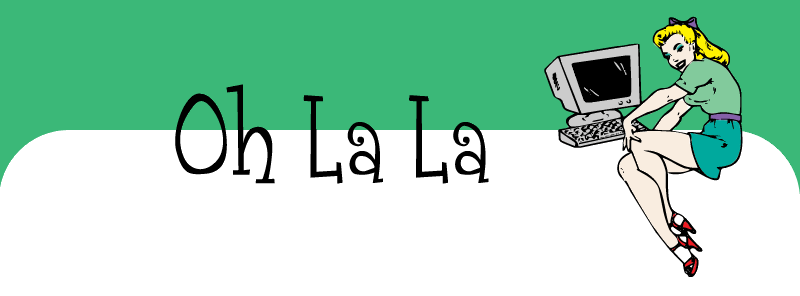
Oh La La - free XML blogger template - DIY Header Image
(click for a live preview)
- To download the xml template: click here (zip)
- Preview the site here
- Need help installing this? Click here
*** A few things ***
The header image is a blank image that you may do what you wish to. I have included a jpg and the layered photoshop file (for those who have photoshop). Download the zipped up folder for all the files you'll need for the header. The font I have used in my own test site is called Grenouille.This blogger template is for those of you who are comfortable editing images and uploading them to the internet (and then replacing the image path). YOUR BLOG TITLE AND DESCRIPTION WILL NOT SHOW UP - this design is not interactive from your Blogger Dashboard.
Until you edit the image yourself, you'll have the same header as I do on the test site.
ALSO - regarding the HEADER IMAGE:
"WHY did you make this design like this?"
Two reasons really - one: you can edit this header image if you want - remove the "Oh La La" text and put your own thing in (you can use any graphics editor to put your own text onto this banner and there are waaaay more font choices than the silly old internet can handle. DaFont: droolworthy!) and two: I just thought it would be more interesting - and things are definitely better when they're more interesting ;-)
"I don't want to edit my own header image! Can you please let me know how to make my title & description come through from Blogger?"
No. It's highly doubtful that your blog title and description is going to come through (and actually "fit" in the correct bit), so bad luck.
"What graphics program can I use to edit this image?"
I have Photoshop CS, but you can use any graphics program that allows you to open/edit a JPEG or GIF - which should be pretty much any graphics program.
"Ok, I made my own banner, now what?"
I have included a PDF on how to replace the header image with your new one. All image files and PDF is enclosed within the downloadable zip folder.
Tuesday, 4 March 2008
Inside & Out - free blogger design XML! Hooray!
Slightly different from the classic template - I'm so pleased with how this one turned out. No doubt it will contain too much "knickers" for some... but oh well.
(click for a live preview)
- To download the xml template: click here (zip)
- Preview the site here
- Need help installing this? Click here
I have also included all image files (including photoshop psd file with rasterized fonts), gif and jpg AND instruction manual PDF on how to replace the header image and ditch the plain text (boring! yawn) header. Wow, you're so lucky!
Tuesday, 29 January 2008
100th Post! Wee! Mad Girl's Love Song - XML
click for a live preview
- To download the xml template: click here (zip)
- Preview the site here
- Need help installing this? Click here
Wednesday, 23 January 2008
Drivin' to LA - free blogger template XML
(click for a live preview)
Click here: to download the xml template (zip file)
Preview the site here
Need help installing this? Click here
Preview the site here
Need help installing this? Click here
Remember to back-up your widget data as installing a new template will erase them.
Monday, 21 January 2008
Where's Jack? (XML) - Free Blogger Template
Now, I present: "Where's Jack?" (XML version) - a few of you have asked for it, so here it is! YES YOUR OWN TITLE WILL APPEAR!

(click for a live preview)
Click here: to download the xml template (zip file)
Preview the site here
Need help installing this? Click here
Preview the site here
Need help installing this? Click here
Filed Under:
colourful
,
cool blog design
,
cute
,
fun
,
funky
,
girl
,
green
,
hand drawn
,
illustration
,
retro
,
update
,
white
,
wide
,
xml
Subscribe to:
Posts
(
Atom
)