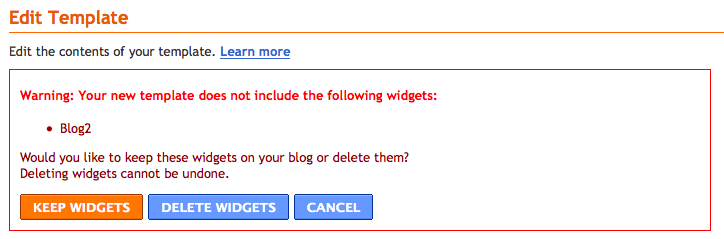
It worked perfectly and wasn't that hard to do (and looked sweet!).
In case you did not know, these Google Fonts are now appearing in the "Template Designer" area of your Blogger Dashboard.
What does this mean?
Now you can use some awesome fonts in your blog (bye byeeeee arial!) and you don't need to know or modify any code, it can all be done with the click of a mouse.
Who can use it?
Well, everyone with a Blogger blog I assume. What you DO need to know is that if you have a blog template with the font types already hardwired into the blog html/css code, then you probably won't be able to use this feature until you have modified the code.
That really isn't that difficult to do and I will write a tutorial soon.
Some of my templates She May Adore Me, BYO Background, Rain Rain Go Away - some of my most recent templates - have the font type of the blog header (and possibly the sidebar headers) pre-determined in the code. So trying to change them in the method I have outlined below, will not work.
Never fear - I can re-write these templates to include this new functionality which will mean you will be able to select different fonts easier.
What this DOES mean though - that most of you can start changing fonts now!
Can I use any font I want?
No. You can only access the fonts in the Google Font Directory (of which there are now quite a few)!
OK OK, so how do we do it?
Log into your blogger dashboard. For this example I am going to use the Holiday on Me template:

Yes, lovely, but what happens when you don't love Georgia anymore?
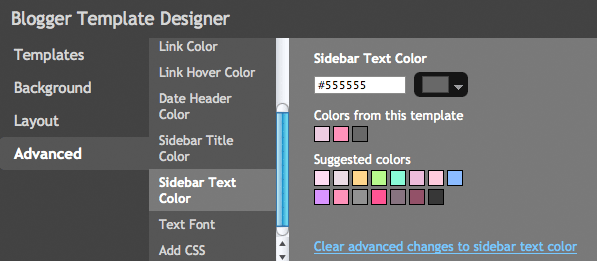
Click on DESIGN and then the TEMPLATE DESIGNER tab:

(you may not have known about this part of Blogger before!)
If you are using a generic template from Blogger, you can probably control most of these tabs - background, widths etc, but if you are using one of mine, the one you want to click on is "ADVANCED" (see below) which is where the fonts, the colours and the font sizes can be controlled.

Again, please remember if any font or colour or font size is written into the code of the blog template, you won't be able to change it here.
So since I am changing the "Holiday on Me" template, I DO have control over which font I want throughout the blog.
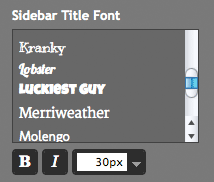
So since I am changing the "Holiday on Me" template, I DO have control over which font I want throughout the blog.

Now you will see that there are a lot more fonts to chose from. You can even make them bold, italic and change the size.
Select which fonts you want, pick the size and you are sorted!
Some fonts are linked - ie: the same font may be used in the sidebar header and the header of the blog. The reason for this is that they have the same code in the blog. If you want them to be different you will have to change the code.
I did notice that some fonts did not show up in the live preview (but they do show up when you click save and view the blog).
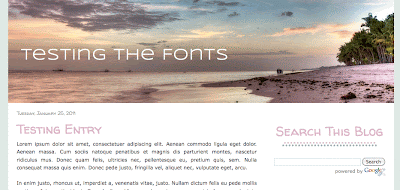
This is what I came up with (ok, maybe a little boring)!
Some fonts are linked - ie: the same font may be used in the sidebar header and the header of the blog. The reason for this is that they have the same code in the blog. If you want them to be different you will have to change the code.
I did notice that some fonts did not show up in the live preview (but they do show up when you click save and view the blog).

This is what I came up with (ok, maybe a little boring)!
If you have any questions, please let me know.
In a nutshell: THIS IS VERY VERY EXCITING! Previously it was only open to those in Blogger Draft but now it's open for everyone! Read more on Blogger Buzz.
In a nutshell: THIS IS VERY VERY EXCITING! Previously it was only open to those in Blogger Draft but now it's open for everyone! Read more on Blogger Buzz.